Acadience Reading Composite Score and Benchmark Status, Explained
By David's Data Warehouse · · 4 min read
Acadience Reading K-6 is a widely used set of short, standardized literacy screening measures. If your school gives it three times a year, you've seen the Reading Composite Score and the color-coded benchmark statuses. This guide explains where the composite comes from, what each measure tells you, and how to organize results so you can actually act on them.
Acadience Reading and DIBELS: what's the connection?
Acadience Reading was formerly published as DIBELS Next. In 2018 the authors at Dynamic Measurement Group (now Acadience Learning) renamed it Acadience Reading; the measures themselves did not change with the name. Separately, the University of Oregon publishes DIBELS 8th Edition, a different assessment with its own measures and cut scores. So Acadience and DIBELS 8 share a history but are not interchangeable, and benchmark goals from one should never be applied to the other. (Using DIBELS 8? See our DIBELS 8 data tracking guide.)
The Acadience Reading measures
Each measure is a brief, timed task, most of them about one minute. Which measures are given depends on grade and time of year:
- First Sound Fluency (FSF): identifying the first sound in spoken words (kindergarten).
- Letter Naming Fluency (LNF): naming upper- and lowercase letters (kindergarten and beginning of first grade). It's an indicator of risk and is used in the composite.
- Phoneme Segmentation Fluency (PSF): breaking spoken words into individual sounds (kindergarten and first grade).
- Nonsense Word Fluency (NWF): reading made-up words to show knowledge of letter-sound correspondence and blending. Scored as Correct Letter Sounds (CLS) and Whole Words Read (WWR).
- Oral Reading Fluency (ORF): reading a grade-level passage aloud. Scored as words correct, accuracy, and a retell.
- Maze: a silent reading comprehension task in which students choose the correct word to complete sentences in a passage (grades 3-6).
Check the Acadience Reading assessment manual for exactly which measures are given at each grade and benchmark period.
What the Reading Composite Score is
The Reading Composite Score combines the student's scores on several measures into a single number. It is the best overall estimate of a student's early reading skills for that benchmark period, because it draws on more information than any single measure. The measures included and how they're weighted vary by grade and time of year.
If you're searching for an "Acadience Reading composite score calculation," the official worksheets and formulas are in the Acadience Reading materials, and the Acadience Data Management system calculates the composite automatically. Many teachers simply copy the composite from the official report into their own tracker, which avoids calculation errors.
The four benchmark statuses
Each composite score (and each measure score) falls into a benchmark status based on the benchmark goals for that grade and time of year:
- Above Benchmark: the student is very likely to reach later reading goals. Consider enrichment and continued core instruction.
- At Benchmark: the student is likely to meet later goals with effective core instruction.
- Below Benchmark: the student is at some risk and will likely need strategic support.
- Well Below Benchmark: the student is at risk and will likely need intensive support.
Benchmark goals and cut points are specific to grade, measure, and benchmark period, and they're published by Acadience Learning. Use the official tables rather than copied charts, which can be out of date or mix up Acadience and DIBELS 8 numbers.
Acadience also offers Pathways of Progress, which describes a student's growth compared with students who started at a similar level. It's a helpful way to set individual goals beyond "reach benchmark."
Using results for MTSS
- Start with the composite. Sort the class by benchmark status to see who needs support.
- Look at individual measures for students below benchmark. A first grader with low NWF but strong PSF likely needs phonics work; low PSF points to phonemic awareness.
- Check ORF accuracy as well as words correct. A student reading quickly but inaccurately needs different help than a slow, accurate reader.
- Progress monitor students receiving intervention with the measure that matches their skill need, and review the data every few weeks.
- Compare BOY, MOY, and EOY to see whether the percentage of students at or above benchmark is growing.
Setting up an Acadience tracker in Excel
A simple class tracker needs:
- One row per student, with grade
- Columns for BOY, MOY, and EOY Reading Composite Score
- A status column for each window (Above, At, Below, Well Below) using a dropdown or a lookup against the official cut points for your grade
- Conditional formatting, for example blue for Above, green for At, yellow for Below, and red for Well Below, matching the colors many Acadience reports use
- Optional columns for key measures such as NWF-CLS and ORF words correct
- A summary showing the count and percentage in each status by window
Our step-by-step guide on how to track student data in Excel covers the dropdowns, COUNTIF formulas, and charts in detail.
What about preschool? PELI
For preschool, Acadience Learning publishes the Preschool Early Literacy Indicators (PELI). PELI uses a storybook format to assess early skills such as alphabet knowledge, vocabulary and oral language, phonological awareness, and comprehension, and it produces composite scores that can be tracked across beginning, middle, and end of year, similar to Acadience Reading K-6.
Ready-made trackers
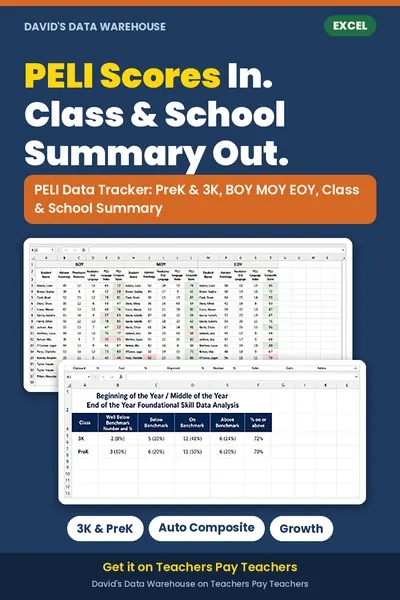
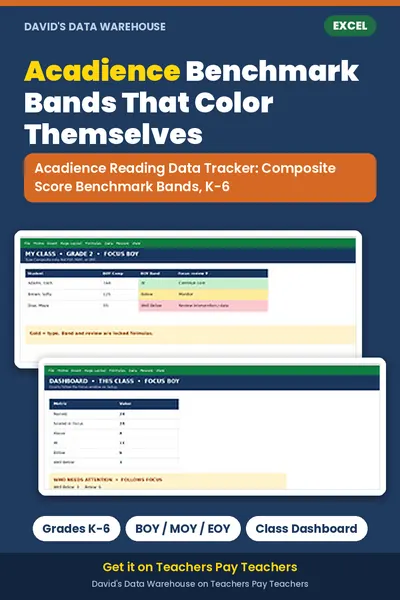
The Acadience Reading Data Tracker from David's Data Warehouse is an Excel workbook for grades K-6. You type in each student's Reading Composite Score for BOY, MOY, and EOY, and it assigns the benchmark status band, color-codes results, and builds class summaries. For 3K and PreK, the PELI Data Tracker tracks the Language Index and Composite across the year with class and school summaries.
New to data tracking? Start with the free i-Ready class tracker to see how the dashboards work, or browse all trackers on the products page.
Not affiliated with or endorsed by the test publishers. Acadience® Reading and PELI are trademarks of Acadience Learning Inc.. Always confirm scores and cut points with official reports.