NYSESLAT Levels Explained: The Five Proficiency Levels and How to Track Them
By David's Data Warehouse · · 5 min read
If you teach English Language Learners (ELLs), also called Multilingual Learners (MLLs), in New York State, the NYSESLAT shapes a lot of your year. Its results determine each student's English proficiency level, the amount of ENL support they receive, and whether they exit ELL status. This guide explains the five NYSESLAT levels in plain language, how exit works, and how the levels line up with WIDA ACCESS for teachers who work with both.
Rules can change. Always confirm current policy with the New York State Education Department (NYSED) and your district's ELL coordinator.
What the NYSESLAT is
The New York State English as a Second Language Achievement Test (NYSESLAT) is given every spring to students in grades K-12 who are identified as ELLs. It measures English proficiency in four modalities: listening, speaking, reading, and writing. Students are first identified through an intake process that includes the NYSITELL screener; after that, the NYSESLAT is the yearly measure of progress.
The five NYSESLAT proficiency levels
NYSESLAT results place each student in one of five performance levels, from least to most proficient:
- Entering: the student is beginning to understand and use English, relying heavily on visuals, gestures, and support in their home language.
- Emerging: the student uses some English for familiar topics and simple tasks but still needs significant support.
- Transitioning: the student shows growing independence and can handle more academic language with moderate support.
- Expanding: the student uses English for most academic tasks with only occasional support.
- Commanding: the student has reached English proficiency on the NYSESLAT and exits ELL status (Former ELL supports continue, as explained below).
The first four levels identify a student as an ELL. The level matters for scheduling: New York's Commissioner's Regulations Part 154 set the minimum amount of ENL or bilingual instruction based on a student's level and grade span, with students at lower levels receiving more units of study. Check NYSED's current units-of-study tables for exact minutes.
Scale scores vs. levels
Score reports include scale scores, but the level is what drives decisions. NYSED publishes conversion charts each year that translate scores into levels, and the cut points vary by grade band and year. That means you should never assume a scale score from one year means the same level the next year. In your own records, type the level exactly as it appears on the official report.
How students exit ELL status
Under current NYSED policy, a student exits ELL status by meeting one of these criteria:
- Scoring at the Commanding level on the NYSESLAT, or
- Scoring at the Expanding level on the NYSESLAT and, in the same school year, scoring Level 3 or 4 on the New York State Grades 3-8 ELA test, or 65 or higher on the Regents Exam in ELA for students in grades 9-12.
After exiting, students are Former ELLs. They continue to receive Former ELL services and can keep certain testing accommodations on state assessments for two years after exiting. That two-year window is easy to lose track of, so it belongs in your tracker.
NYSESLAT vs. WIDA ACCESS levels
Many teachers move between New York and WIDA states, or work with families who do. WIDA's ACCESS for ELLs is used by a large group of states and reports six proficiency levels:
- Entering
- Emerging
- Developing
- Expanding
- Bridging
- Reaching
Some level names overlap, but the two scales are not interchangeable. NYSESLAT has five levels and WIDA has six, and the tests are designed and scored differently. "Expanding" on the NYSESLAT is not the same as level 4 Expanding on ACCESS. ACCESS reports proficiency levels for each domain (listening, speaking, reading, writing) and composites such as Oral Language, Literacy, Comprehension, and Overall, often with a decimal such as 3.5. Each WIDA state sets its own exit criteria, usually based on the Overall composite, sometimes combined with domain minimums.
The safest rule for interpreting ACCESS scores is the same as for the NYSESLAT: use the levels on the official score report and your state's published exit criteria. Don't convert between the two tests.
What to track for each ELL
A useful ELL data tracker has one row per student and covers:
- Roster basics: grade, home language, program (ENL, Transitional Bilingual, Dual Language), and date of entry to U.S. schools or to ELL status
- Years of service: often used to group students as newcomers (years 1-3), developing (years 4-6), and long-term ELLs (7 or more years)
- Last year's level and this year's level, plus levels gained
- Modality scores (listening, speaking, reading, writing), which show where to focus instruction
- Exit review flag: Commanding, or Expanding plus a qualifying ELA result
- Former ELL status and exit date, so you can see who is still in the two-year support window
- Other flags: ELLs with IEPs and Students with Interrupted/Inconsistent Formal Education (SIFE)
A small dashboard showing how many students are at each level this year compared with last year is usually all a team needs for a planning meeting.
Using NYSESLAT results in the classroom
- Look at modalities, not only the overall level. A student at Transitioning overall might be strong in speaking but need support in writing.
- Watch students who stay at the same level for more than one year. They may need a different approach or a closer look at other factors.
- Share levels with content teachers. Knowing a student is at Emerging helps a science or math teacher plan language supports.
- Explain results to families clearly. Many families ask whether a level is "good." Explain where the student is, what the next level looks like, and how they can exit.
A ready-made ELL tracker
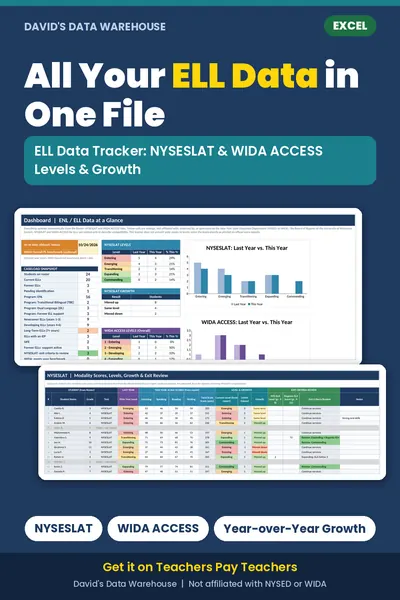
The ELL Data Tracker (NYSESLAT & WIDA ACCESS) from David's Data Warehouse is an Excel workbook for up to 40 students. It calculates years of service and service groups, records NYSESLAT modality scores and levels or WIDA ACCESS domain levels, shows levels gained, flags students for exit review, tracks the former-ELL support window, and includes a dashboard with level distributions. It never converts scale scores into levels; you enter levels from the official reports.
Many ELLs also have IEPs. See our guide to tracking IEP and 504 accommodations. And if your school uses i-Ready, the free i-Ready class tracker is a quick way to see Diagnostic growth.

Not affiliated with or endorsed by the test publishers. NYSESLAT and NYSITELL are assessments of the New York State Education Department (NYSED); WIDA® and ACCESS for ELLs® are trademarks of the Board of Regents of the University of Wisconsin System. Always confirm scores and cut points with official reports.